
Docs · Apps Kit SDK Portal
User Management — Invite Users
The Invite Users page (/InviteUsers) is how you bring teammates or external collaborators into your apps, brands, and other resources, with fine-grained control over exactly what they can see and do.
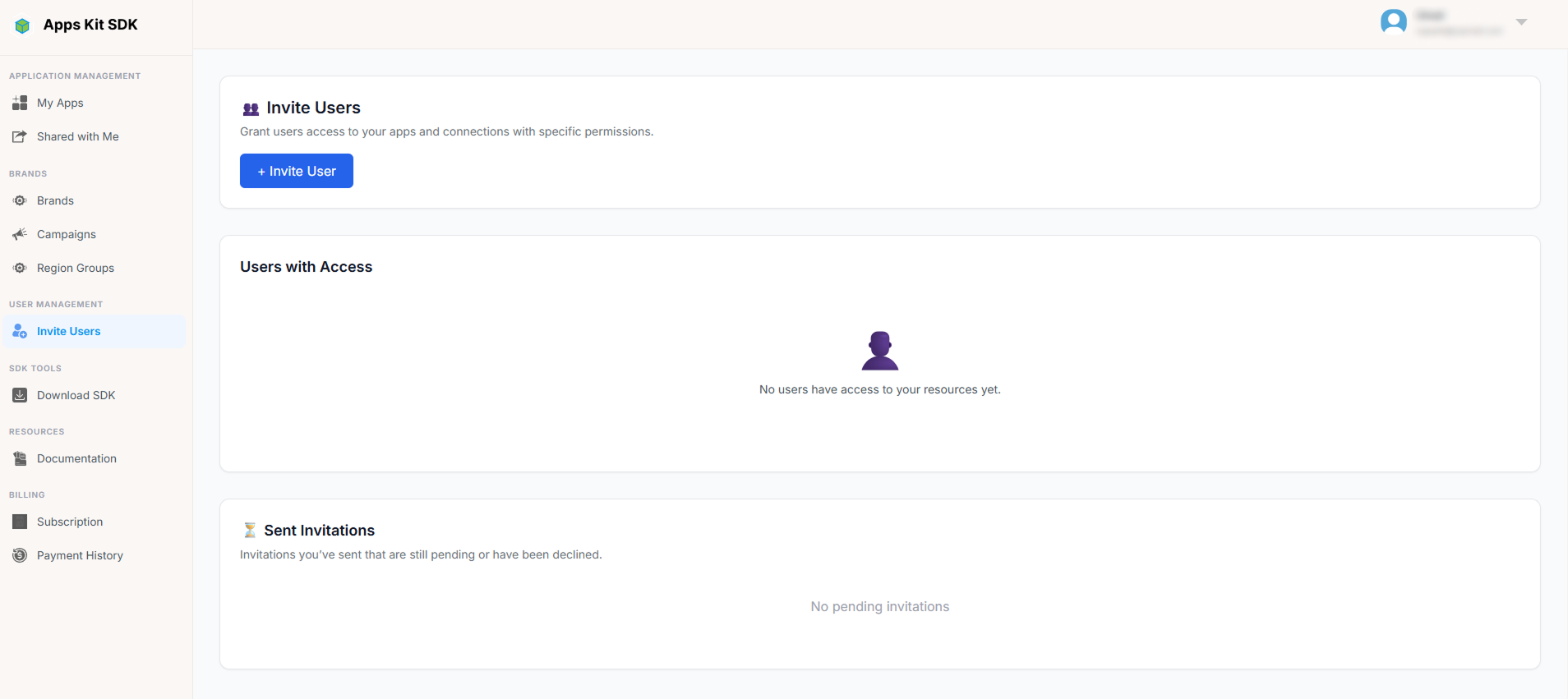
The page has two panels:
- Users with Access — everyone who currently has some level of access to your resources (whether via direct invite or otherwise).
- Sent Invitations — invitations you've sent that are still pending, or that were declined. (This is distinct from "Shared with Me," which lists invitations you've received from others, not ones you've sent.)
Inviting a User
Clicking + Invite User opens a modal where you enter the invitee's email and choose exactly which permissions they should have, via a dynamic permission grid (loaded from the backend so it always matches whatever resource types currently exist).
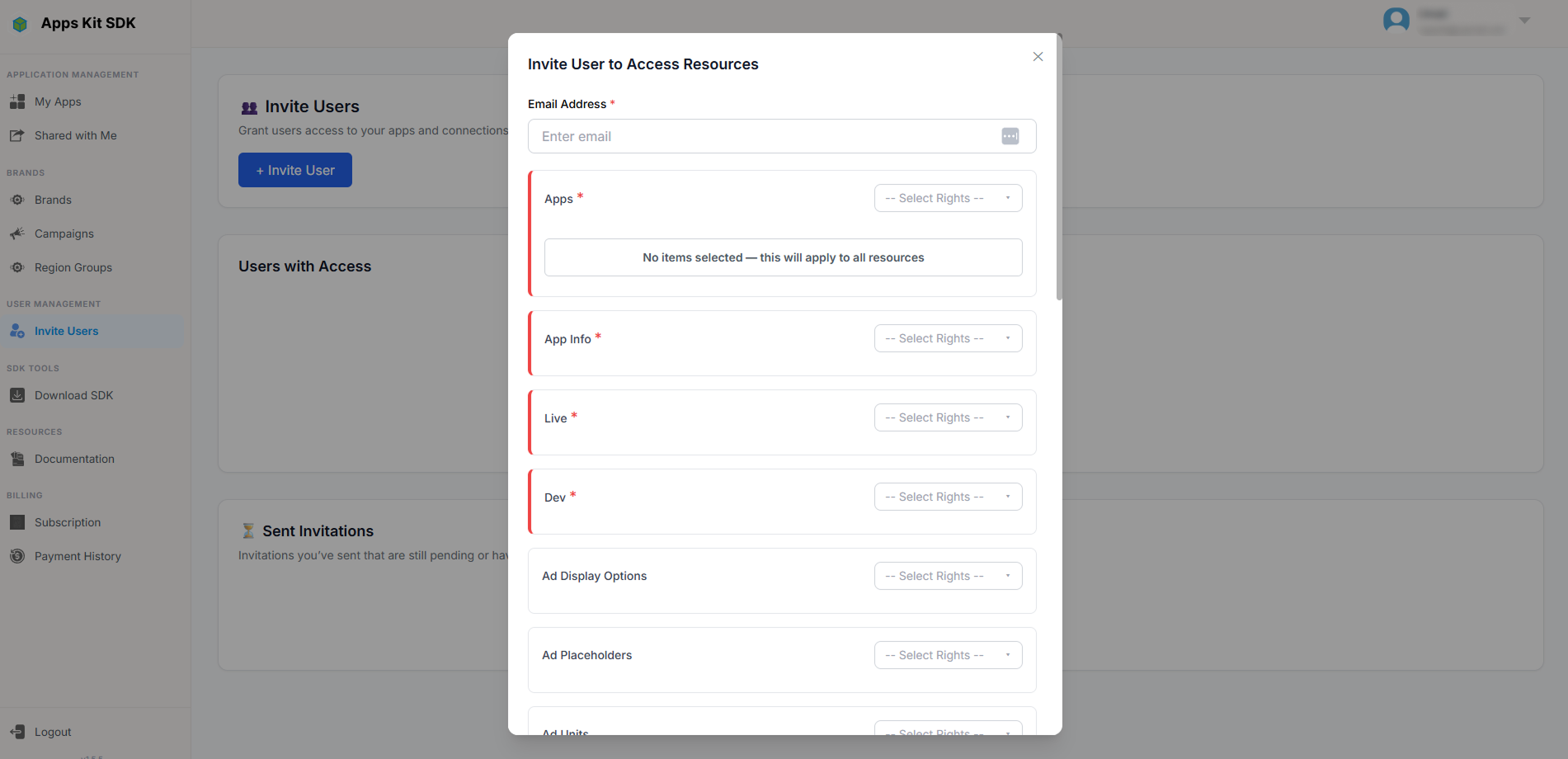
A few rules govern this grid:
- Apps and App Info access are mandatory — you can't send an invitation that doesn't include at least these.
- You must also grant access to at least one of Live or Dev mode.
- Checking any "write" right (Create / Update / Delete) for a resource automatically checks "Read" for it too, since write access without read access wouldn't make sense.
- You can't uncheck "Read" for a resource while any write right is still checked on it — you'd have to remove the write rights first.
- For some resource types you can optionally restrict the grant to specific resources (e.g., specific apps) rather than "all of them." A special "applies to all resources" sentinel value is used internally when you leave a resource type unrestricted.
Once sent, the invitation shows up in "Sent Invitations" on this page until the recipient accepts or declines it (from their own Shared with Me page, My Notifications page, or the notification-link Invitation Dialog — see those sections above).